ProdA1 Film Studios prompt pack By@awansauce RollA003 Runtime0:30 LocManhattan, NY

Behind the Wall

I was vibing down a Manhattan street, nearly got clipped by a taxi and walked face-first into a lamp post. Then I leaned on the building next to me and it gave like cloth. I pulled it down, and behind it New York folds up into the sky. Here is how I set up my avatar, built the folded city and wrote every shot, so you can make your own version. Every shot was generated with Seedance 2.5 in TopView.

How to use

  1. Step 1: dress one photo of you in TopView and turn it into your avatar.
  2. Step 2: generate the folded city on its own first, then save the three reference images.
  3. Step 3: for each shot, add your avatar and the listed images as Omni References, type @ wherever the prompt says [tag … here] and pick the match. Shots marked Extend continue the clip before them. Expect 2 to 4 runs per shot; every run is a different take.
The filmTap for sound

Step 1. Your avatar

TopView builds an avatar of you from a single image. That avatar is your Omni Reference in every shot you're in.

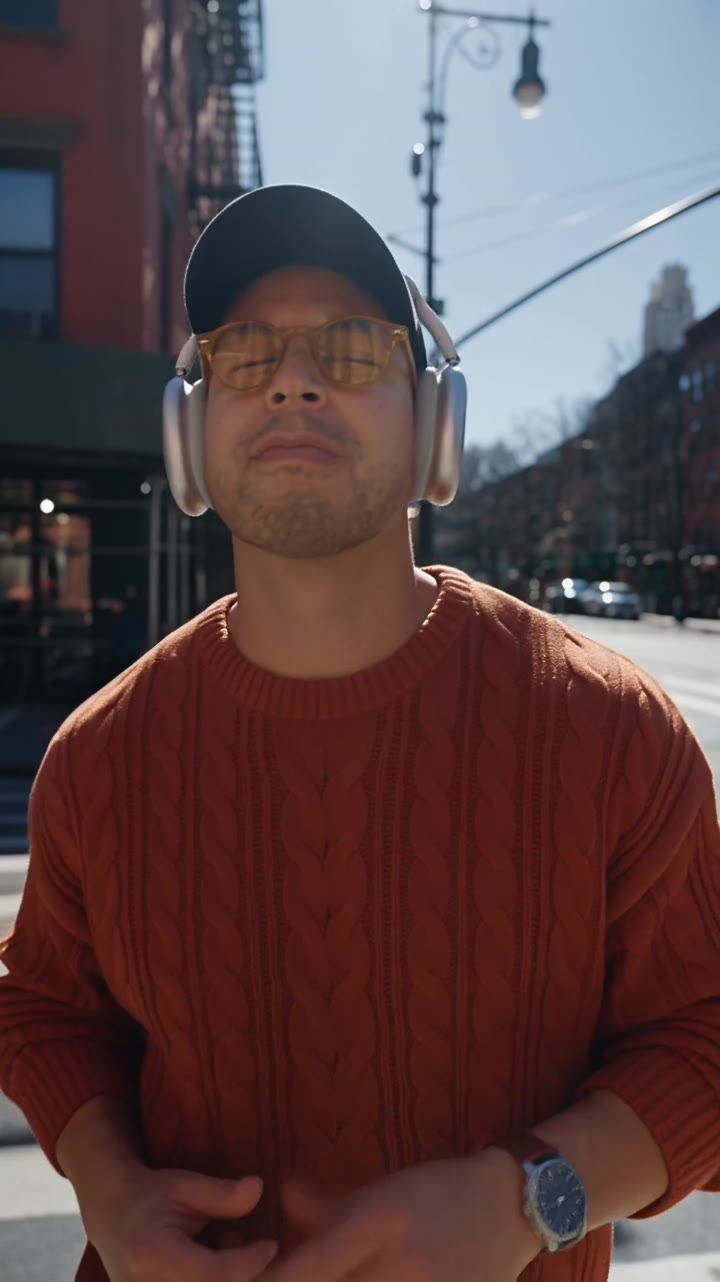
Alan in the finished look: burnt-orange cable-knit sweater, navy cap, silver over-ear headphones and amber sunglassesTHE LOOK

How I made mine

Start from one plain full-body photo of yourself: sharp, evenly lit, face clearly visible. The prompt dresses you in the whole outfit, headphones included, so they stay on in every shot. Swap any piece for your own style.

  • Open TopView's image generator and upload your full-body photo
  • Type @ where the prompt says [tag your photo here] and pick it
  • Create your avatar from the result
  • Also save a sharp, front-on headshot of you; it's one of the references in Step 2


Step 2. The world and references

Build the folded city first, on its own, with nobody in it. A frame from that clip becomes the reference for every shot after the pull.

WORLD · 6 SEC

The folded city

A normal Manhattan avenue that bends up into the sky and keeps going upside down overhead, with traffic driving the whole curve. Generate it, then grab the clearest frame where the fold fills the screen. That frame is the folded street reference.


Step 3. Shots